
Fluent Forms to Excel Online Without Zapier
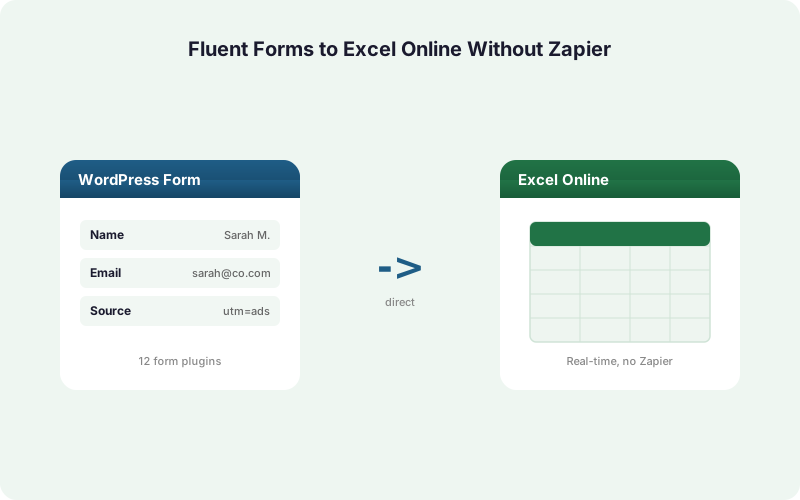
Send every Fluent Forms entry straight into an Excel Online workbook on OneDrive in real time, using Microsoft Graph, no Zapier, no CSV export, no middleware.
In This Guide
- Why Send Fluent Forms Entries to Excel Online?
- Why Skip Zapier and CSV Exports?
- Is Fluent Forms a Good Fit for Direct Excel Delivery?
- What Do You Need Before Starting?
- How Do You Connect Microsoft 365?
- How Do You Map Fluent Forms Fields to Columns?
- Free Mirror Mode vs Paid Excel-Primary: Which Do You Need?
- What Happens If Excel Is Unavailable?
- Can You Capture UTM and Click IDs Automatically?
- Fluent CSV Export vs Zapier vs SheetLink: How Do They Compare?
- Putting It All Together
- Frequently Asked Questions
Why Send Fluent Forms Entries to Excel Online?
Microsoft 365 reached 400M+ paid commercial seats per Microsoft FY2024 earnings (2024), so if your team already lives in Excel, that's where Fluent Forms data belongs. The default workflow is manual: export a CSV from Fluent Forms, open Excel, paste, and repeat.
That manual loop is slow and error-prone. Research from Panko (2016) found that up to roughly 88% of audited spreadsheets contain errors, and copy-paste handling is a big reason why.
A direct integration removes the export entirely. Each Fluent Forms submission writes to a live Excel Online workbook within seconds, no human in the loop. This guide shows exactly how, the Fluent-specific quirks included.
Why Skip Zapier and CSV Exports?
Zapier uses per-task metered pricing where one task equals one action, and the Free plan caps at 100 tasks per month per Zapier (2026). Every Fluent Forms entry burns a task, so a busy form drains your quota and forces a paid upgrade fast.
CSV export has a different problem: it isn't real time. You only see new entries after someone remembers to export and paste. Sales follow-up stalls, and manual paste reintroduces the error risk Panko documented.
A direct plugin avoids both traps. There are no per-task fees and no export step. If you're weighing the math, our breakdown of Zapier costs for WordPress forms shows how task pricing escalates with volume.
Is Fluent Forms a Good Fit for Direct Excel Delivery?
Fluent Forms is built for speed and a light footprint, which makes it a strong match for a real-time integration that fires on submission rather than polling. WordPress powers about 43% of all websites per W3Techs (2026), and Fluent Forms is one of the popular form builders running on that base.
Fluent Forms has a few features worth noting before you map fields. Conversational forms ask one question per screen but still submit a single entry, so delivery behaves identically to standard forms.
Repeat fields (the repeater) collect multiple rows of the same data inside one submission. Plan how those flatten into Excel columns before you map. We'll cover that in the mapping step below.
What Do You Need Before Starting?
You need three things: a WordPress site running Fluent Forms, a Microsoft 365 or personal Microsoft account with OneDrive, and SheetLink Forms installed. The free version on wordpress.org covers the mirror workflow described later in this guide.
SheetLink Forms supports 12 core form plugins, and Fluent Forms is one of them, so no add-on is required just to connect Fluent Forms. See the full integrations list for the others.
You'll also want an Excel workbook ready on OneDrive with a header row. SheetLink uses Microsoft Graph to write rows into a real workbook, not a flat file, so the table structure matters. Five minutes of setup beats a recurring CSV chore.
How Do You Connect Microsoft 365?
Connecting Microsoft 365 takes one OAuth handshake. SheetLink Forms uses Microsoft Graph through a hosted OAuth broker, so you authorize once and the plugin stores an encrypted refresh token. Microsoft serves 400M+ paid commercial seats per Microsoft FY2024 earnings (2024), so this is the same login your team already uses.
In the SheetLink admin, open the Destinations area and choose Excel Online. Click connect, sign in to your Microsoft account, and approve the requested permissions. The plugin only needs access to write to the workbook you pick.
After authorizing, select the OneDrive workbook and worksheet that will receive entries. The full walkthrough lives in our WordPress form to Excel guide. Personal Microsoft accounts and Microsoft 365 work for this step.
How Do You Map Fluent Forms Fields to Columns?
Field mapping is per rule, so each Fluent Forms form maps to its own set of Excel columns. You match a Fluent Forms field, like Name, Email, or a custom dropdown, to a specific column header in your worksheet. Unmapped fields are simply skipped.
For repeat fields, decide early how the repeater flattens. A common pattern is to join repeated values into one cell, or to map the first few rows to numbered columns. Map deliberately so a multi-row entry doesn't overflow your layout.
Conditional logic helps here too. With conditional routing, you can send only entries that match a rule, for example only demo requests, to a particular workbook. Keep your header row stable so mapping stays valid.
Free Mirror Mode vs Paid Excel-Primary: Which Do You Need?
SheetLink offers two delivery models, and the difference is whether Google Sheets stays in the loop. About 90% of financial-ops firms still rely on spreadsheets per AutoRek via PR Newswire (2025), so picking the right model matters for how your team works daily.
Free mirror mode sends one Fluent Forms entry to Google Sheets AND Excel at the same time. It's included at no cost and is ideal if you want a Sheets backup or a team that works across both tools.
Excel-primary ($29/mo, or bundled in Agency Growth at $69/mo and Agency Plus at $99/mo) makes Excel the sole destination with no Google account required. Compare the two in our Excel vs Google Sheets breakdown. The Excel-primary add-on page has full details.
What Happens If Excel Is Unavailable?
Delivery never silently fails because SheetLink Forms uses a built-in retry queue with exponential backoff. If Microsoft Graph is unreachable or throttled, the entry sits in a local WordPress queue and retries automatically at 5 minutes, 30 minutes, and 2 hours.
This matters because spreadsheet workflows are error-sensitive. Panko (2016) measured an average cell error rate near 3.9%, and a missing entry is its own kind of data loss. The retry queue means a brief Microsoft outage delays delivery rather than dropping it.
Every attempt is recorded in full delivery logs, so you can confirm exactly when each Fluent Forms entry reached Excel. If something stays stuck, the log tells you why. No guessing, no silent gaps in your workbook.
Can You Capture UTM and Click IDs Automatically?
Yes. SheetLink Forms captures UTM parameters and ad click IDs automatically, including GCLID, fbclid, and msclkid, and writes them alongside the Fluent Forms entry. You don't add hidden fields manually; the plugin reads them from the visitor session.
This closes the attribution loop inside your workbook. When a lead converts, the Excel row shows which campaign and ad delivered it, so your spend analysis lives next to the lead data instead of in a separate report.
For the full picture of how this works across campaigns, see our guide to UTM and GCLID marketing attribution for WordPress forms. Marketing teams use this to tie Excel rows directly to ad spend without any extra tagging work.
Fluent CSV Export vs Zapier vs SheetLink: How Do They Compare?
The three paths to Excel differ on speed, cost, and reliability. CSV export is manual and not real time. Zapier is real time but metered per task, with the Free plan capped at 100 tasks per month per Zapier (2026). SheetLink writes directly through Microsoft Graph with no per-task fee.
The table below summarizes the trade-offs. For agencies running many client sites, the cost difference compounds, which is why our agency page centers on flat one-time licensing.
If you also evaluated Make and other middleware, the true cost comparison walks through five-year totals. For most Fluent Forms sites, the direct path wins on every axis that matters.
Putting It All Together
Sending Fluent Forms entries to Excel Online without Zapier comes down to four moves: install SheetLink Forms, connect Microsoft 365 with one OAuth handshake, map your Fluent Forms fields to worksheet columns, and pick mirror mode or Excel-primary.
From there, real-time delivery handles itself. The retry queue protects against outages, delivery logs give you proof, and automatic UTM capture keeps attribution in the same workbook as the lead. No CSV exports, no per-task billing.
Free mirror mode is the easiest place to start, since it costs nothing and runs Excel and Google Sheets side by side. Upgrade to Excel-primary when you want to drop Google entirely. Check pricing and the full add-ons when you're ready to scale.
| Method | Real Time | Cost Model | Outage Handling |
|---|---|---|---|
| Fluent CSV export | No (manual) | Free, manual labor | Re-export by hand |
| Zapier | Yes | Per task (100/mo free) | Vendor managed |
| SheetLink direct | Yes | Free mirror, $29/mo primary | Local queue + retry |
Frequently Asked Questions
Does this work with Fluent Forms conversational forms?
Yes. Conversational forms ask one question per screen but submit a single entry, so delivery behaves exactly like a standard form. SheetLink Forms maps the fields and writes one Excel row per submission, with no extra configuration needed for the conversational layout.
How are Fluent Forms repeat fields handled in Excel?
Repeat fields collect multiple values in one submission. You decide during mapping how they flatten, commonly joined into one cell or split across numbered columns. Plan this before mapping so a multi-row repeater entry fits cleanly into your Excel worksheet layout.
Is sending Fluent Forms to Excel Online free?
Mirror mode is free and sends each entry to Google Sheets and Excel at once. Excel-primary, where Excel is the sole destination with no Google account, is $29/month or bundled in Agency Growth ($69/mo) and Agency Plus ($99/mo).
Do I need Zapier or Power Automate to do this?
No. SheetLink Forms connects directly to Excel Online through Microsoft Graph, with no Zapier, Power Automate, or CSV middleware. Zapier meters per task and caps the Free plan at 100 tasks monthly per Zapier (2026), so a direct integration avoids those limits entirely.
How fast does an entry reach Excel?
Delivery is real time. When a visitor submits a Fluent Forms entry, SheetLink writes the row to your OneDrive workbook within seconds via Microsoft Graph. There's no polling delay and no manual export, so your Excel sheet stays current as leads arrive.
What if Microsoft Graph is temporarily unavailable?
The entry enters a local retry queue with exponential backoff and retries automatically at 5 minutes, 30 minutes, and 2 hours. Every attempt is logged. A brief Microsoft outage delays delivery rather than losing the entry, so no Fluent Forms data goes missing.
Can I capture campaign data with each entry?
Yes. SheetLink Forms automatically captures UTM parameters and click IDs including GCLID, fbclid, and msclkid, writing them next to each Fluent Forms entry in Excel. This keeps marketing attribution in the same workbook as the lead, with no hidden fields to add manually.
Does it work with personal Microsoft accounts?
Yes. The OAuth connection supports both Microsoft 365 and personal Microsoft accounts with OneDrive. Microsoft reports 400M+ paid commercial seats per Microsoft FY2024 earnings (2024), and SheetLink works with that account base plus personal MSA accounts.
Can I send the same entry to multiple destinations?
Yes. Mirror mode delivers to Google Sheets and Excel simultaneously at no cost. For CRMs, the Multi-CRM Routing add-on fans each submission out to tools like HubSpot, Salesforce, and Pipedrive at once, with conditional routing by field value and no per-task fees.
Send Fluent Forms to Excel Online in Minutes
Real-time delivery via Microsoft Graph. No Zapier, no CSV exports, no per-task fees. Start free with mirror mode.