
WPForms to Excel Online, Step by Step
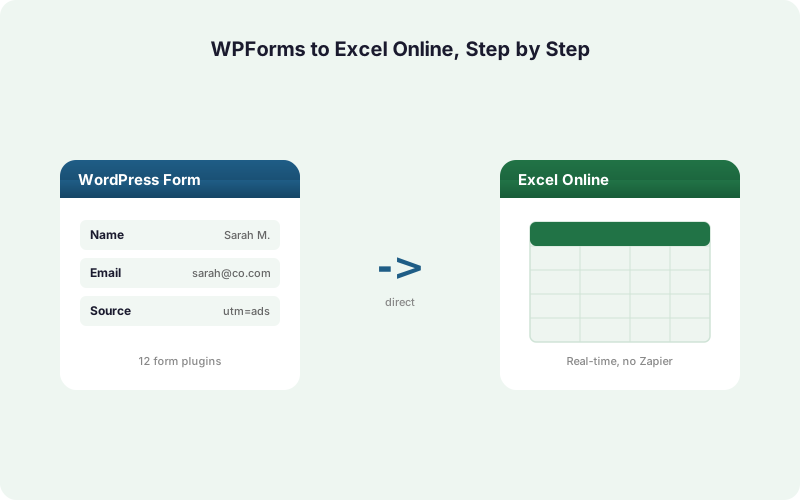
Send WPForms entries straight into an Excel Online workbook on OneDrive in real time, no Zapier and no CSV exports. Here is the full setup, from connecting Microsoft 365 to mapping fields and handling retries.
In This Guide
- Why Send WPForms Entries to Excel Online?
- What Do You Need Before You Start?
- Does This Work With WPForms Lite and Pro?
- How Do You Connect Microsoft 365?
- How Do You Choose the Workbook and Worksheet?
- How Do You Map WPForms Fields to Excel Columns?
- Free Mirror Mode vs Paid Excel Primary: Which One?
- What Happens If a Submission Fails to Deliver?
- How Do You Capture UTM and Click IDs Automatically?
- How Does This Compare to CSV Export and Zapier?
- Recap and Next Steps
- Frequently Asked Questions
Why Send WPForms Entries to Excel Online?
Microsoft 365 has 400M+ paid commercial seats (Microsoft FY2024 earnings, 2024), so if your team already lives in Excel, routing form data there beats forcing everyone into a second tool. WPForms runs on 6+ million sites (WordPress.org, 2026).
The usual options are clumsy. CSV export is manual and goes stale the moment someone submits again. Zapier and Power Automate add monthly fees and a third-party hop between your site and your workbook.
A direct integration writes each WPForms entry into a OneDrive workbook the instant it arrives. No middleware, no nightly export, no copy-paste. The rest of this guide shows exactly how to wire it up. For a deeper look at the destination itself, see our guide to sending WordPress form submissions to Excel Online.
What Do You Need Before You Start?
You need three things: a WordPress site running WPForms, a Microsoft 365 account with OneDrive, and SheetLink Forms installed. WPForms powers 6+ million sites (WordPress.org, 2026), and both the free Lite version and WPForms Pro work identically for this flow.
There is no Zapier account, no Power Automate license, and no CSV step in this setup. SheetLink Forms talks to your workbook directly through the Microsoft Graph API.
The free version of SheetLink delivers to Excel Online in mirror mode, where one rule writes to both Google Sheets and Excel at once. If you want Excel as the sole destination with no Google account involved, the Excel Primary add-on ($29/mo) handles that. We cover the difference below.
Grab the plugin from the integrations page or install the free build from WordPress.org, then activate it like any other plugin.
Does This Work With WPForms Lite and Pro?
Yes, both work. Contact Form 7 has 10+ million installs and WPForms has 6+ million (WordPress.org, 2026), and SheetLink hooks into WPForms at the submission level, so the entry data is captured the same way whether you run Lite or Pro.
WPForms Lite gives you the core fields: name, email, phone, message, dropdowns, and checkboxes. Every one of those maps cleanly to a column in your Excel workbook.
WPForms Pro adds conditional logic, multi-page forms, file uploads, and payment fields. SheetLink reads the final submitted values, so a conditionally shown field simply lands in its mapped column when it was filled, and stays empty when the logic hid it. You do not need to change anything in your form to support that behavior.
In our experience, the most common gotcha is forgetting that a hidden conditional field still occupies its column. Plan your column layout for the full set of possible fields, not just the ones shown by default.
How Do You Connect Microsoft 365?
Connecting Microsoft 365 takes one OAuth click. SheetLink uses Microsoft Graph, the same official API behind 400M+ Microsoft 365 seats (Microsoft FY2024 earnings, 2024), so the connection is sanctioned by Microsoft rather than a screen-scraping workaround.
In your WordPress admin, open SheetLink Forms and go to the Destinations screen. Click Connect Microsoft 365. You will be redirected to a Microsoft sign-in page where you approve access to your OneDrive files.
After you approve, Microsoft sends you back to WordPress and the connection is stored. The refresh token is encrypted at rest using AES-256-GCM, so your credentials are never held in plain text.
The authorization works for both Microsoft 365 business tenants and personal Microsoft accounts. Once connected, you can pick any workbook in your OneDrive as a destination. For the equivalent Google flow, our Google Sheets setup docs walk through that side.
How Do You Choose the Workbook and Worksheet?
After connecting, you select a OneDrive workbook and a worksheet inside it. SheetLink writes one row per WPForms entry into the worksheet you pick, appending each new submission below the last. Spreadsheets remain the primary tool for 58% of finance leaders (Rossum, 2024), so an Excel workbook is a natural home for this data.
Create a fresh workbook in Excel Online first, or reuse an existing one. Add a header row with the column names you want, for example Name, Email, Phone, Message, Submitted At.
Back in the plugin, the workbook picker lists files from your OneDrive. Select the workbook, then choose the target worksheet tab. SheetLink reads the header row so it can align each WPForms field to the correct column in the next step.
Keep your header row clean and stable. If you rename a column later, update the mapping so entries keep landing where you expect.
How Do You Map WPForms Fields to Excel Columns?
Field mapping is a per-rule, drag-and-match step where each WPForms field points to one Excel column. Up to 88% of audited spreadsheets contain errors (Panko, 2016), and manual copy-paste is a big reason why, so automated mapping removes that error source entirely.
In your sync rule, SheetLink lists every field from the chosen WPForms form. Next to each field, a dropdown shows the columns it read from your workbook header. Match Name to the Name column, Email to Email, and so on.
You do not have to map every field. Skip the ones you do not need, and they simply will not be written. You can also map system values like the submission timestamp, the form name, or the page URL.
For forms with conditional logic, map the full set of possible fields. When a conditional field is hidden at submission time, its column stays blank for that row, which keeps your columns consistent across every entry.
Free Mirror Mode vs Paid Excel Primary: Which One?
There are two ways to deliver to Excel, and the right one depends on whether you also use Google Sheets. Spreadsheets stay central to operations, with 90% of finance firms still relying on them (AutoRek via PR Newswire, 2025), so picking the right mode matters.
Free mirror mode writes each WPForms entry to Google Sheets and Excel Online at the same time from a single rule. It is included at no cost and is ideal if some teammates work in Sheets while others prefer Excel.
Excel Primary ($29/mo) makes Excel the sole destination, with no Google account required anywhere in the flow. It ships in the Excel Primary add-on and is bundled into Agency Growth ($69/mo) and Agency Plus ($99/mo).
If you are Microsoft-only, go straight to Excel Primary. If you straddle both worlds, mirror mode covers you for free. Our Excel Online vs Google Sheets comparison digs into which spreadsheet suits which team.
What Happens If a Submission Fails to Deliver?
Failed deliveries are caught by a built-in retry queue, so no WPForms entry is ever lost. IBM notes that poor data quality carries real operational cost (IBM, 2024), and missing leads are exactly the kind of gap a retry queue prevents.
If Microsoft Graph is briefly unavailable or rate limits a request, SheetLink does not drop the entry. It queues the row locally in WordPress and retries with exponential backoff: first after 5 minutes, then 30 minutes, then 2 hours.
Every attempt is recorded in full delivery logs, so you can see which entries went through, which are pending, and which need attention. This matters because Power Automate began enforcing premium-connector licensing on April 1, 2025, with documented per-flow throttling limits (Microsoft Learn, 2025), where a throttled run can silently fail.
Because the queue lives on your own site, an outage on Microsoft's side just delays delivery rather than losing the lead.
How Do You Capture UTM and Click IDs Automatically?
SheetLink captures UTM parameters and ad click IDs automatically, with no extra WPForms fields needed. WordPress powers about 43% of all websites (W3Techs, 2026), and most of those sites run paid traffic where attribution data is the difference between a guess and a measured campaign.
When a visitor lands with UTM parameters in the URL, the plugin reads them and stores them alongside the submission. It also grabs the major click IDs: GCLID from Google Ads, fbclid from Meta, and msclkid from Microsoft Advertising.
Map these to dedicated Excel columns the same way you map any field. Now every row in your workbook carries the campaign that produced the lead, ready for a pivot table or a SUMIFS report.
This turns your Excel workbook into a closed-loop attribution sheet without a single line of tracking code. For the full picture, see our guide to UTM and GCLID marketing attribution for WordPress forms.
How Does This Compare to CSV Export and Zapier?
A direct integration beats both manual CSV and Zapier on cost, speed, and reliability. Zapier uses per-task metered pricing where one action equals one task, starting at $29.99/month for 750 tasks (Zapier, 2026), so a busy form quietly burns through your quota.
CSV export is free but manual. Someone has to download, open, and paste the file, and the data is already stale by the time it is saved. There is no real-time anything.
Zapier adds a recurring fee and a polling delay, and sending the same entry to two destinations counts as two tasks. SheetLink writes directly to Excel Online via Microsoft Graph, in real time, for a one-time license starting at $49 (free version available), with mirror-to-Sheets included.
The table below lays out the three approaches side by side. For a deeper cost breakdown, read our Make vs Zapier vs direct plugin true-cost analysis.
Recap and Next Steps
Sending WPForms entries to Excel Online comes down to five steps: install SheetLink, connect Microsoft 365 with one OAuth click, pick your OneDrive workbook, map fields to columns, and choose mirror or Excel Primary mode. With 400M+ Microsoft 365 seats in use (Microsoft FY2024 earnings, 2024), this keeps lead data where most teams already work.
Both WPForms Lite and Pro are supported, conditional fields map cleanly, the retry queue protects every submission, and UTM plus click-ID capture is automatic.
If you only need Excel, the Excel Primary add-on removes Google from the loop. If you manage many client sites, the agency plans license multiple sites at once. Compare every tier on the pricing page, and explore the full Excel Online destination before you start.
| Approach | Real Time | Recurring Cost | Both Sheets and Excel | Lost-Entry Protection |
|---|---|---|---|---|
| WPForms CSV export | No, manual | Free | Manual re-export | None |
| Zapier | Polled delay | From $29.99/mo | Counts as 2 tasks | Vendor managed |
| SheetLink direct | Yes, instant | From $49 one-time | Free mirror mode | Local retry queue |
Frequently Asked Questions
Does this work with the free WPForms Lite version?
Yes. Both WPForms Lite and Pro work identically because SheetLink hooks into WPForms at the submission level. With WPForms on 6+ million sites (WordPress.org, 2026), the same flow captures core fields in Lite and advanced fields like conditional logic in Pro.
Do I need Zapier or Power Automate to connect WPForms to Excel?
No. SheetLink writes directly to Excel Online via Microsoft Graph, with no middleware. Zapier charges per task from $29.99/month (Zapier, 2026), and Power Automate enforces premium-connector licensing since April 1, 2025 (Microsoft Learn, 2025). The direct path avoids both.
Is sending WPForms data to Excel Online free?
Mirror mode is free: one rule writes to Google Sheets and Excel Online at once. Making Excel the sole destination with no Google account uses the Excel Primary add-on at $29/month, also bundled into Agency Growth ($69/mo) and Agency Plus ($99/mo) plans.
How are conditional logic fields handled?
SheetLink reads the final submitted values, so a conditionally shown field lands in its mapped column when filled and stays blank when hidden. Map the full set of possible fields so your columns stay consistent across every entry, even when logic hides some inputs.
What happens if Microsoft Graph is temporarily down?
The entry is not lost. SheetLink queues the row locally in WordPress and retries with exponential backoff at 5 minutes, 30 minutes, then 2 hours. Full delivery logs record every attempt, so an outage on Microsoft's side only delays delivery rather than dropping leads.
Can I capture UTM parameters and ad click IDs in Excel?
Yes, automatically. SheetLink reads UTM parameters from the landing URL plus GCLID, fbclid, and msclkid click IDs, then writes them to columns you map. With WordPress on roughly 43% of websites (W3Techs, 2026), this gives paid-traffic sites built-in attribution.
How is the Microsoft 365 connection secured?
Connection uses official Microsoft Graph OAuth, the same API behind 400M+ Microsoft 365 seats (Microsoft FY2024 earnings, 2024). After you approve access, the refresh token is encrypted at rest with AES-256-GCM, so your credentials are never stored in plain text inside WordPress.
Can I send to both Google Sheets and Excel at the same time?
Yes, that is exactly what free mirror mode does. A single rule delivers each WPForms entry to a Google Sheet and an Excel Online workbook simultaneously, which suits teams where some members work in Sheets and others prefer Excel without duplicating any setup.
Send WPForms Entries Straight to Excel Online
Real-time delivery to OneDrive via Microsoft Graph. No Zapier, no CSV, no per-task fees. Mirror to Google Sheets included free.